




Mobile slot games: 5000+
Available Applications
 Mobile
 Android
 iOS
iOS
Take AllySpin with you anywhere—no desktop tether required. Whether you’re sneaking in spins on the commute, tapping out live bets during lunch, or chasing free-spin streaks in bed, the mobile casino delivers the same slick interface, robust game library and promotional perks you love on desktop. Pages snap into place instantly, navigation stays tucked away until needed, and every button reacts to your fingertip with no lag. AllySpin shrinks to your pocket without losing an ounce of polish or performance.
Android & iOS Compatibility
| OS | Web Browser App | App Download | Mobile Bonus | Live Dealer | Live Chat |
|---|---|---|---|---|---|
| Android | Yes | No | Up to €1000/ 200FS | Yes | Yes |
| iOS | Yes | No | Up to €1000/ 200FS | Yes | Yes |
 Slide aside for full view
AllySpin plays nicely with both major mobile ecosystems. Nearly any Android device running Android 7.0 or later will run the casino smoothly—no special hardware required. On iOS, it’s equally frictionless: iPhones from the past few years and all modern iPads (iOS 13 and up) handle the site’s responsive layout without hiccups. Game selection, bonus activation, live chat and cashier functions are identical whether you’re on a Galaxy, Pixel, OnePlus, iPhone or iPad. Touch gestures, portrait/landscape switching and screen resizing all feel natural; you never need to pinch and zoom.
Android App Download Guide
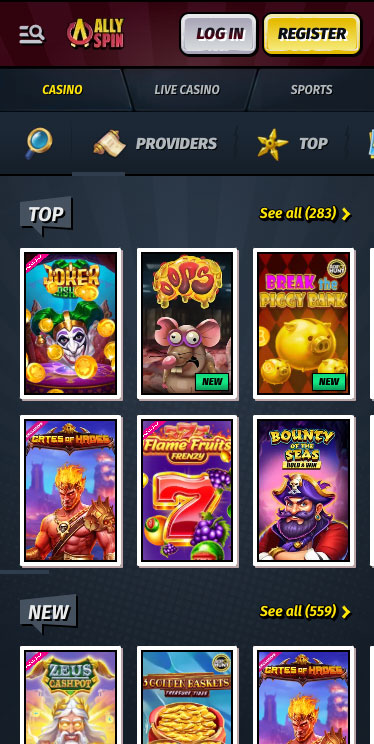
AllySpin Casino on Android

Want quick, one-tap access to AllySpin on your Android home screen? No need for an APK—just create a web-app shortcut directly from your browser. This “mini-app” opens in full-screen mode without the address bar, gives you faster load times, and always runs the latest version automatically. Here’s how:
- Open Chrome (or your preferred Android browser) and navigate to allyspin.com.
- Tap the three-dot menu in the upper right corner of the screen.
- Select “Add to Home screen.”
- Customize the icon name, if you like—“AllySpin” makes it easy to spot.
- Tap “Add” (or drag the icon to your home screen) to create the shortcut.
- Launch from your home screen by tapping the new AllySpin icon—it opens instantly in a standalone window, just like a native app.
Bonus tips:
- If you ever clear your home-screen icons, simply repeat these steps to restore the shortcut.
- You can also pin AllySpin to your Android’s quick-access bar for even faster launch.
- Because the shortcut points to the live site, any updates to the mobile casino roll out immediately—no manual installs or updates needed.
iPhone App & iPad App Download

AllySpin on iPhone
Apple’s walled garden doesn’t allow third-party casino apps in the App Store, but AllySpin turns that limitation into a plus with a browser-based “app”:
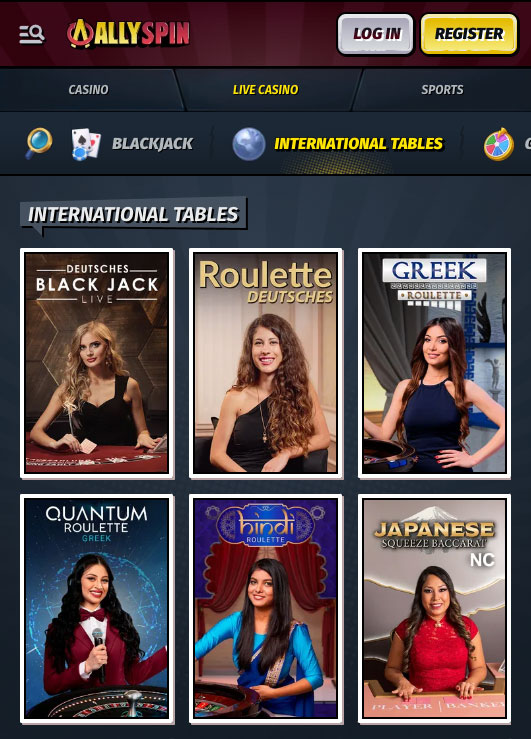
AllySpin Casino on Ipad
- Open Safari and Visit AllySpin:
Navigate to allyspin.com on your iPhone or iPad. - Tap the Share Icon (the square with an arrow):
This lives at the bottom of Safari on iPhone, top on iPad. - Select “Add to Home Screen”:
Name it “AllySpin” (or keep the default) and tap “Add.” - Launch Like Any App:
The AllySpin tile appears on your home screen. No App Store, no installation headaches—just tap and go. - Bookmark as Backup:
Even though this home-screen shortcut is solid, you can also bookmark the casino in Safari. Tap the share icon again → “Add Bookmark,” ensuring you always have a quick link if you clear home-screen icons.
Because this method bypasses app-store approvals, you always run the freshest version of the mobile casino. There’s nothing to update manually—AllySpin’s development team tweaks the behind-the-scenes code, and your Safari “app” reflects it instantly.
FAQ
Live chat is present on every page. Just tap the chat bubble and start messaging.
No download is strictly necessary. Bookmarking allyspin.com on your home screen creates an app-like shortcut. Android users can install an optional APK for even quicker access.
Yes, your account is seamlessly synced across all devices. Your game favorites, VIP level, active bonuses, and chat history are all stored in the cloud, ensuring a consistent experience whether you're on desktop or mobile.
AllySpin's cashier is fully functional on mobile and adapts to your device's orientation. Whether you prefer Interac, Visa, Bitcoin, Skrill, Neteller, or any other payment method, you can use it with ease on your mobile device, ensuring a seamless and convenient gaming experience.
On your mobile device, head to “My Bonuses” in the main menu, then tap “Weekly Cashback” or “Live Cashback” to opt in. This process is the same as on desktop, ensuring you can easily take advantage of our cashback offers on the go.
The home-screen bookmark remains tied to the device only. However, your account is securely stored in the cloud, so you can easily access your account and settings on any device by bookmarking the casino on each device you use for quick access.
5.0/5 (5 гласа)