




Mobile slot games: 3000+
Available Applications
 Mobile
-
 Android
  iOS
iOS
The first thing about Fansport’s mobile app I have to note is that it truly feels like a mobile-first product and not a desktop site awkwardly squeezed down. Big tiles, fat buttons, the interface works perfectly across Android and iOS devices (even aging ones) and it doesn’t make you feel like it’s 2012.
Even when you really stress out the platform switching between slots, games and the live casino, it keeps up. There’s no weird reloading or jumping across the sections. Only when using the casino in a browser can it feel a bit awkward at times. It’s those small moments when you wander, “wait, what was that?” I guess it’s the price Fansport has to pay for stacking over 3000 games.
Android & iOS Compatibility
| OS | Requirements | App Size | Free or Paid | Web Browser App |
|---|---|---|---|---|
| Android | 7.0+ | 73.4 MB | Free | Yes |
| iOS | 11.0+ | 140.0 MB | Free | Yes |
 Slide aside for full view
Installation isn’t really an issue, with Fansport coming down to the “modern smartphone = good” thing. If your device is too out of date, it may struggle to load large web pages. It may load the lobby before the content has loaded, lag when scrolling and most definitely, you willl be missing some more demanding games. If however you meet the requirements below, you won’t have to deal with any of this:
Android
- OS: Android 10+ recommended (Android 7+ minimum)
- RAM: 3GB+ (4GB feels noticeably calmer)
- CPU: any mid-range from the last ~5 years (older budget chips tend to stutter in lobbies)
- Storage: 300MB+ free (install + cache)
- Network: stable 4G/5G or Wi-Fi (weak signal = longer loads, more refreshes)
iOS
- OS: iOS 15+ recommended (iOS 11+ minimum)
- Devices: iPhone 8 / XR or newer recommended (older models run it, but you’ll notice the strain faster)
- Storage: 300MB+ free (install + cache)
- Network: stable 4G/5G or Wi-Fi (same story: weak connection makes everything feel “reload-y”)
Android App Download Guide
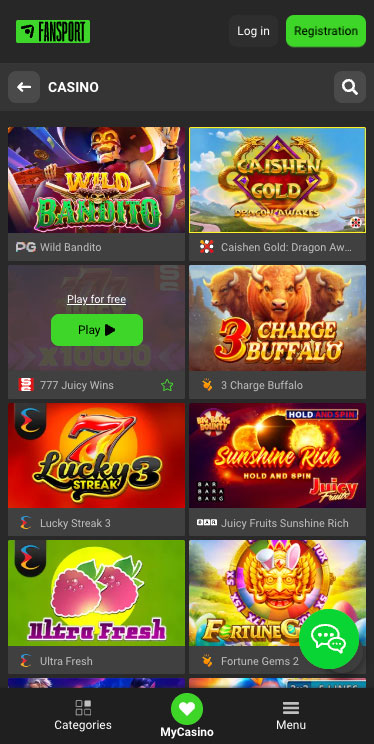
Fansport Casino on Android
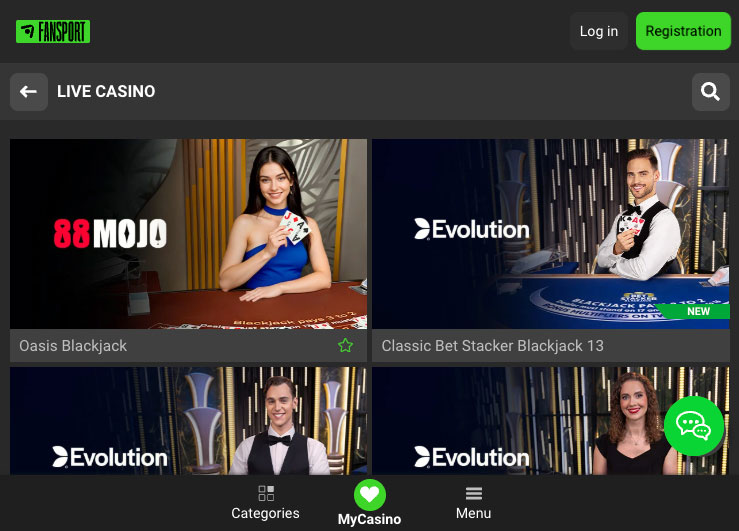
When you tap Fansport’s Android button, you realize you’re not going to Google Play. It just downloads an APK like it’s 2016. Not a problem, just… a bit more “hands-on” than most people expect.
- Tap the Android download
The APK downloads straight away. No store page, no ratings, no “Update” button later. Just a file landing in your downloads. - Open the APK from Downloads
Android throws the usual “can’t install from this source” wall if you haven’t enabled it already. First time, it’s basically guaranteed. - Allow installs from this source
You get kicked into settings, you toggle Allow from this source, then you bounce back to the installer. That little hop is the main friction point — not hard, just slightly annoying because it breaks the flow. - Install → app icon appears
After that, it installs normally and the icon shows up. No drama. The “work” was really the permission step.
Installation/performance takeaway: the install flow is the slow part, not the app. Once it’s installed, it opens normally, and the casino layout is immediately familiar. There is a big navigation, quick category jumps, and that top bar that keeps your balance/deposit one tap away
iPhone App & iPad App Download
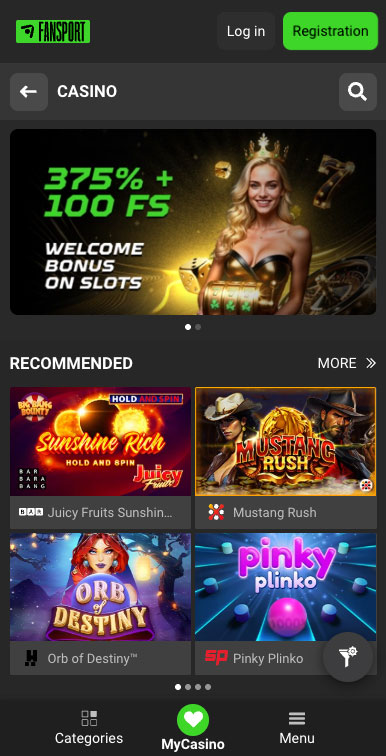
Fansport Casino on iPhone
The installation process on iOS may feel a bit “managed”, though certainly not in the same polished App Store style. Rather, Fansport has made its app available through TestFlight, which complicates things.This adds an extra step. Instead of simply going to the App Store to get the app, you’d have to get TestFlight first and then go for it.
Here’s how the iOS install process really works (the TestFlight route):
- Download and install TestFlight from the App Store
- Open TestFlight and find Fansport
- Install the app, following the instructions
- The application will now appear on your home screen → open it, log in, and you’re good to go.
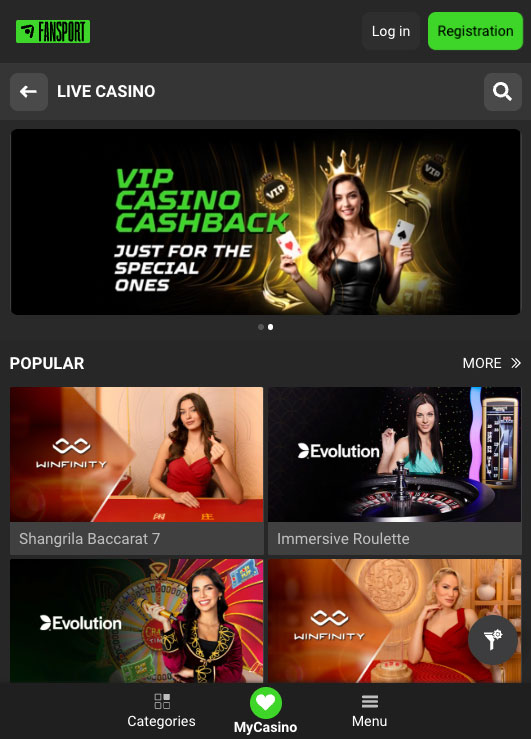
Fansport Casino on iPad
From that point on, the app experience is relatively standard. The app is fast, the UI keeps everything a thumb away, and you get to benefit from native notifications. It’s not an app to fall in love with, it’s a one to appreciate for doing right what it’s supposed to do.
FAQ
No. Fansport works well in mobile browsers too. The app does have a better feel for long gaming sessions though.
No, you can get Fansport on your Android only through the apk on the official website.
Yes. The installation of the app only goes through TestFlight instead of being listed as a regular App Store application.
Generally yes. I had no issues with the app crashing or freezin. The only slowdown I experienced was when transitioning between large portions of the site such as slots and live games, as the lobby had to reload a few times.
Yes. The cashier is fully integrated within the app. You can deposit funds, check your account balance, activate bonuses, etc.
5.0/5 (2 гласа)