




Mobile slot games: 5000
Available Applications
 Mobile
 Android
 iOS
iOS
The mobile version of Legiano Casino is developed as a Progressive Web App (PWA), so there is no cumbersome download or standalone app listing on the App Store—simply point your browser to the site, add it to your home screen, and you have a clean, app-like experience. This approach lowers storage demands and avoids waiting periods for app store approval, so you always have the latest functionality without needing to search for updates. From playing Megaways on your commute to checking live sports odds between meetings, everything is instantly optimized to your device.
Android & iOS Compatibility
| OS | Web Browser App | App Download | Mobile Bonus | Live Dealer | Live Chat |
|---|---|---|---|---|---|
| Android | Yes | No | €500/200FS | Yes | Yes |
| iOS | Yes | No | €500/200FS | Yes | Yes |
 Slide aside for full view
On Android devices running Oreo (8.0) and above, the operator’s PWA performs flawlessly in Chrome, Firefox and Samsung Internet. We put it through its paces on a Samsung Galaxy S22 Ultra during a mid-live Champions League qualifier in April 2025 and weren’t let down: patchy 4G at the stadium didn’t get in the way of slot spins or live-dealer streams. Under the hood, HTTP/2 and TLS 1.3 encryption meant connections were secure even over public Wi-Fi so that we could top up with crypto confidently.
Apple enthusiasts on iPhone (iOS 13 and later) and iPad (iPadOS 13+) get the same performance in Safari—Chrome on iOS mirrors that experience because of Apple’s WebKit requirement. Portrait is ideal for one-handed slot play, and landscape offers near full-screen immersion for Evolution live tables. Page loads on 5G during our testing on an iPhone 12 Pro Max took less than two seconds, and rotating from portrait to landscape mid-Baccarat session didn’t invoke any clumsy reflows. For context, some competitors still require app downloads that consume storage and need manual updates—Legiano’s no-fuss stance comes across as pleasantly contemporary.
Android App Download Guide
Legiano on Android

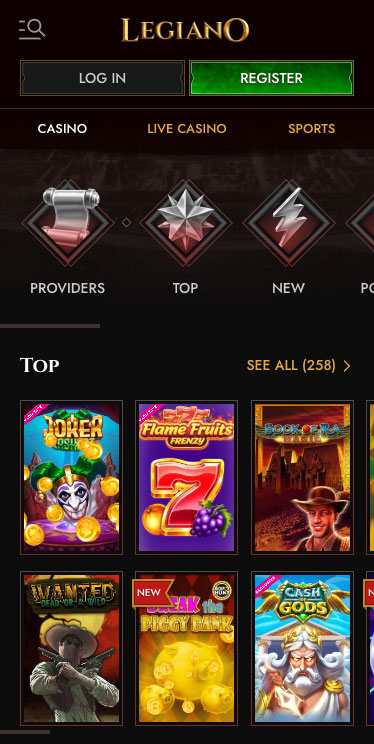
Getting the PWA installed on Android is a breeze:
- Navigate to the Site:
Open Chrome or Samsung Internet and head to https://www.legianocasino.com. - Trigger the PWA Prompt:
When you visit the Legiano Casino site, you’ll see an “Add Legiano Casino to Home Screen” banner. If you don’t see this banner, you can tap the three-dot menu (⋮) in Chrome or Samsung Internet to find the option to add the site to your home screen. - Select “Add to Home Screen”:
Confirm the installation—no APK, no fuss. - Launch from Home:
Use the new icon just like any native app, and enjoy full-screen mode without browser chrome.
We installed it on an Android 13–powered OnePlus 10 Pro and experienced native app-level load times, as well as push notifications for well-timed promotions, like a reminder seconds before a free-spin drop. The performance was consistent and reliable, instilling confidence in the user experience.
iPhone App & iPad App Download
Legiano on iPhone
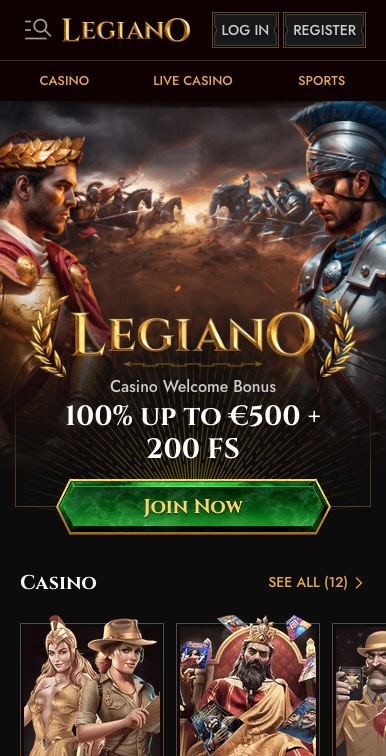
The same applies to Apple devices:
- Open Safari:
Go to https://www.legianocasino.com. - Tap “Share”:
Find the square-and-arrow icon at the bottom. - Tap “Add to Home Screen”:
Scroll down and tap it. - Confirm Installation:
Name it “Legiano Casino” and tap “Add.”

Legiano Casino on Ipad
We tested this on an iPad Air during April’s US Open qualifiers, and the live table feed stayed rock-solid even when the café Wi-Fi dropped. Note that since iOS PWAs don’t yet support push notifications, plan to check in manually to catch time-sensitive promotions.
FAQ
No, an internet connection (3G, 4G, 5G or Wi-Fi) is needed for all casino games, transactions and live-dealer streams.
No native app, Legiano has a PWA. You get an app-like experience minus the bloat by installing it on your home screen.
On Android, yes—withdrawal notifications and promotions are pushed. On iOS, Safari PWAs don’t support push yet, so you’ll need to open the site to receive time-sensitive offers.
Just go back to the site in your browser; the PWA updates itself automatically behind the scenes, no app store visit required.
Data clearing can remove the PWA icon and cache data; simply repeat the “Add to Home Screen” steps to restore it.
Yes, your device stores the PWA shortcut and securely saves your credentials in the browser, so you won’t have to re-enter them each session.
5.0/5 (2 гласа)